Blog Post
25 Creative Ways to Use Fancy Text Online
Use fancy text more intentionally across bios, captions, banners, usernames, and short labels while keeping your message readable, searchable, and safer for accessibility.
Updated June 20, 2026
Fancy text keeps getting reused online because it solves a simple problem: most platforms do not let you style your profile text, but people still want a small visual edge. A few styled words can make a bio, banner, or username feel less generic without forcing you into graphic design work. If you want to test broad styles quickly, start with the fancy text generator.
The catch is that fancy text is best treated like emphasis, not like a full writing system. Research across social media and accessibility guidance points to the same pattern: short, readable styled text can work well, but long decorative strings become harder to scan, harder to search, and much harder for screen readers to interpret. That is why cleaner outputs from tools like the cool font generator are usually safer than highly decorative styles.
So the useful question is not whether fancy text looks cool. It is where it helps, where it hurts, and how to use it without making your copy feel gimmicky or inaccessible.
Best Ways to Use Fancy Text by Platform
| Platform | Best Use Case | Style Level | Caution |
|---|---|---|---|
| Display names, short bio headers, highlight titles | Low | Keep your main keyword or role in plain text somewhere in the profile. | |
| TikTok | Opening caption hooks and short profile labels | Medium | Decorative text loses impact fast when the full caption is styled. |
| YouTube | Channel section headers and short community post hooks | Low | Do not stylize full video titles if you want fast comprehension. |
| Discord | Usernames, server nicknames, short channel notes | Medium | Test across desktop and mobile because some styles render unevenly. |
| Minimal dividers or very light emphasis | Very Low | Professional contexts punish novelty faster than casual platforms do. | |
| Gaming Platforms | Unique usernames and short status labels | High | Availability, search, and display compatibility vary by platform. |
Quick Takeaways Before You Use Fancy Text
- Fancy text is Unicode substitution, not a real font change.
- Use it for short emphasis blocks, not long sentences or paragraphs.
- Keep important names, keywords, or instructions available in plain text.
- Preview styled text on mobile and desktop before publishing.
- If accessibility matters, treat decorative Unicode as optional rather than essential.
What Is Fancy Text?
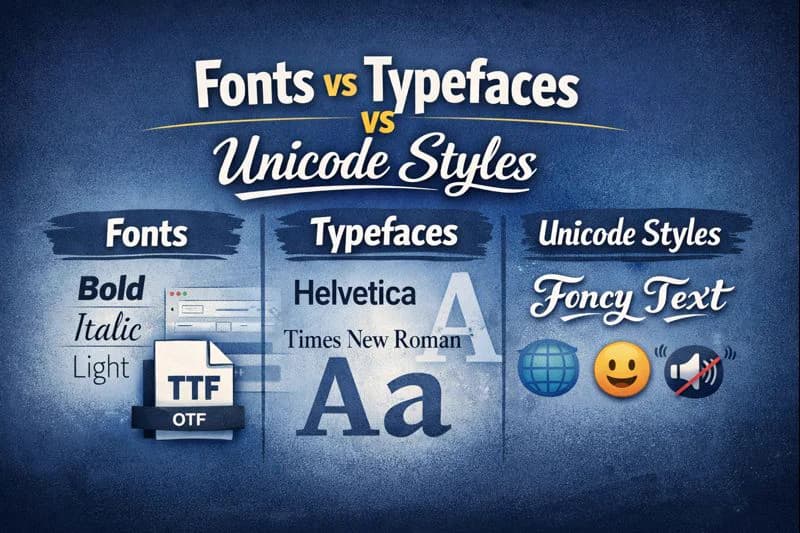
Fancy text usually comes from Unicode character substitution. Instead of applying a font file, a generator swaps regular letters for different Unicode code points that happen to look bold, script, bubble, gothic, or fullwidth. That is why text like 𝐇𝐞𝐥𝐥𝐨 can be copied and pasted into so many apps. Moodier variants are especially visible in the gothic font generator.
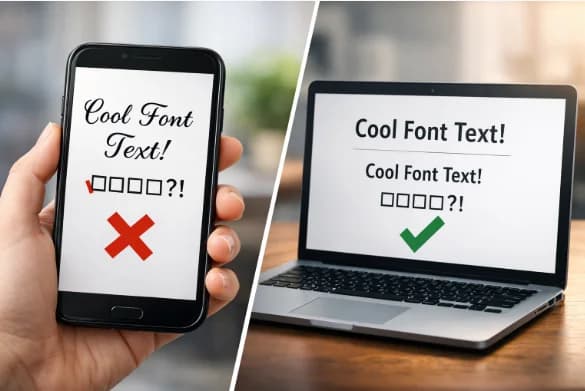
This matters because the visual effect is baked into the characters themselves. Platforms like Instagram, TikTok, Discord, and X are not receiving styling metadata. They are receiving different characters. That is also why the same text can look slightly different on iPhone, Android, Windows, and desktop browsers depending on the font each system uses to render those code points. For platform-specific testing, it is better to preview directly in tools like the Instagram font generator or Discord font generator.
It also explains the downside. Search systems, assistive technology, and copy-paste workflows may not treat decorative Unicode the same way they treat plain text. A styled word may look like a normal word to sighted users while behaving like a completely different character sequence under the hood.
How to Generate Fancy Text
- Type plain text into a fancy text generator.
- Compare a few styles instead of picking the most decorative option first.
- Copy one short variation and paste it into the target platform.
- Check how it renders on mobile, desktop, and in any preview area the platform gives you.
- Keep a plain-text fallback ready if readability or search visibility drops too much.
The generator is the easy part. The real decision is whether the styled version still communicates faster than plain text would. If a highly decorative result starts to feel noisy, step back to simpler options from the <a href="/small-text-generator">small text generator</a> or the <a href="/cool-font-generator">cool font generator</a>.
25 Creative Ways to Use Fancy Text Online
1. Make a Social Bio Header More Noticeable
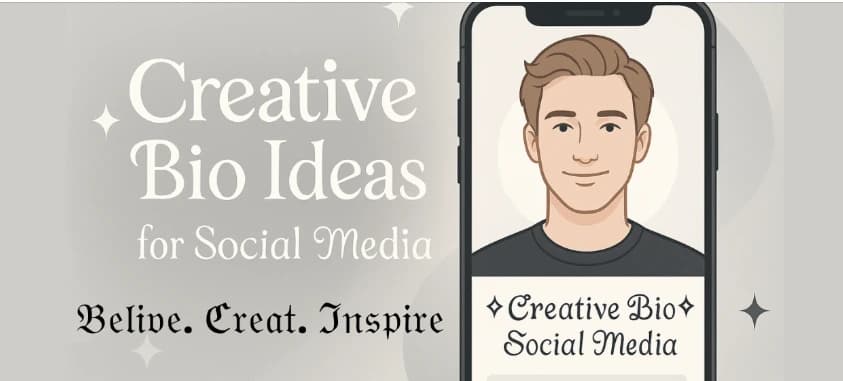
A short styled phrase at the top of a profile can create contrast without overwhelming the rest of the bio.
2. Emphasize One Role in an Instagram Bio
Styling a single word like “Creator” or “Stylist” works better than converting the whole bio into decorative Unicode. If you want to test readable options first, use the Instagram font generator.
3. Add a Hook to the First Words of a TikTok Caption
Short emphasis on the opening words can improve stop-scroll value, but longer styled captions usually feel noisy.
4. Separate Sections in a YouTube Channel Description
Styled mini-headings like “Uploads” or “About” create structure when kept short. Cleaner sans-like results are usually a better fit here than dramatic decorative styles.
5. Use One Styled Word in a Video Title Preview Draft
If a single word adds tone, it can work. If the whole line becomes harder to parse, revert to plain text.
6. Create a More Distinct Discord Username
Discord is one of the better places to experiment because short names carry less accessibility risk than long paragraphs. Use the Discord font generator to test variants quickly.
7. Format Server Rules Labels or Announcement Tags
Small labels such as “Rules” or “Update” can stand out without making the message body harder to read.
8. Claim a More Unique Gaming Handle
Decorative Unicode can help differentiate a username when the plain version is taken, but always check how searchable it remains. Shorter options from the small text generator often stay more usable than symbol-heavy alternatives.
9. Brand a Twitch Stream Title With Restraint
A small branded accent in a stream title can work, but readability still matters more than novelty in crowded directories.
10. Style the Name Line in an Email Signature
A light visual accent on your name is safer than styling your job title or the entire signature block.
11. Mark Subheadings in a Blog Draft
Fancy text can separate optional examples or inspiration snippets, but real content headings should remain standard text for SEO and accessibility.
12. Add Flavor to a Website Banner Headline Mockup
For prototype banners or campaign tests, styled text can help you explore tone before committing to a design system.
13. Make Pinterest Board Titles Feel More Curated
A subtle style can support aesthetic positioning, especially for fashion, moodboard, or craft themes.
14. Personalize a Forum Signature
A short tagline in styled text can add personality without turning the whole signature into clutter.
15. Use Minimal Divider Characters on LinkedIn
LinkedIn is better suited to restraint than decoration. If you use fancy text there at all, keep it extremely light.
16. Add Character to Digital Invitations
Names, short event titles, and themed labels are better targets than the invitation details themselves. If you want a softer handwritten look, test a few restrained options in the cursive font generator first.
17. Style a Presentation Title Slide
Decorative Unicode can help with an opening slide or internal concept deck, but body slides should stay plain and legible.
18. Highlight Giveaway or Launch Labels
Words such as “Giveaway,” “New,” or “Drop” can benefit from brief styling in social graphics and captions.
19. Give Fundraiser Headlines Extra Contrast
Use styling on one short emotional phrase, not on the core details of the appeal.
20. Make a Branded Hashtag Look More Distinct
This is best for display contexts. For discovery, keep the actual searchable hashtag in normal characters.
21. Label Store Banners or Promo Blocks
Short retail prompts like “Sale” or “Limited” can hold a decorative treatment without sacrificing comprehension.
22. Dress Up QR Code Labels
A stylized “Scan me” label can feel more intentional, but the instruction should still remain easy to read instantly.
23. Pair It With Text Art or ASCII Concepts
Some communities use fancy text alongside text art for mood and identity. This works best where experimentation is part of the culture, especially if you keep the base text readable and use the freaky font generator only for short accents.
24. Refresh a Status Message or Away Note
Short mood updates are a safe place to experiment because the message is brief and disposable.
25. Use It Most Freely in Temporary Stories and Highlights
Ephemeral content is the safest place to test decorative styles because the text is not expected to support long-term search, reuse, or accessibility-critical navigation.
Tips for Choosing the Right Fancy Text Style
- Choose the most readable style that still creates contrast.
- Keep decorative text concentrated in one line or label.
- Leave the surrounding copy plain so the styled text actually stands out.
- Avoid mixing script, bubble, glitch, and gothic styles in one block.
- If a styled word carries essential meaning, provide a plain-text version nearby.
Fancy Text Do and Don't
Do
- Use fancy text for names, labels, hooks, and short emphasis.
- Check whether the styled version still looks clean at small sizes.
- Keep searchable terms like names, roles, and hashtags in normal text when possible.
- Use platform-specific generators when you need quick previews, such as the <a href="/fancy-text-generator">fancy text generator</a> or <a href="/cool-font-generator">cool font generator</a>.
Don't
- Do not style full paragraphs, long captions, or detailed instructions.
- Do not rely on decorative Unicode for accessibility-critical content.
- Do not assume every device or platform will render each style equally well.
- Do not replace every important keyword with stylized characters if you care about search and discoverability.
Accessibility is the main reason to limit fancy text. Screen readers may announce mathematical or decorative Unicode by character name, read it inconsistently, or turn a short phrase into an unintelligible sequence. If the text contains meaning users must understand, plain text should carry that meaning first.
Common Mistakes to Avoid When Using Fancy Text
- Treating fancy text like a replacement for normal writing instead of a visual accent.
- Using decorative Unicode in usernames or bios without checking searchability.
- Choosing the flashiest style instead of the most readable style.
- Mixing several styled alphabets in one sentence or line.
- Ignoring mobile rendering, screen reader behavior, and copy-paste quirks.
Conclusion
Fancy text is most useful when it solves a narrow visual problem: helping one word, one label, or one short line stand out in places where platforms give you almost no design control.
It stops helping when it becomes the whole message. Once styled text slows down reading, weakens search matching, or hides meaning from assistive technology, the decoration costs more than it adds.
The best approach is simple: keep the structure plain, style only the accent, and let readability win every time. If you need a cleaner social profile result, the Instagram font generator and cool font generator are usually the safest next steps.
FAQ
Is fancy text the same thing as changing a font?
No. Fancy text generators usually replace plain letters with different Unicode characters that only look styled. That is why the result can be copied into social apps without uploading a font file. If you want to test this behavior yourself, use the fancy text generator.
Why does fancy text copy and paste across so many apps?
Because the styling is in the characters themselves, not in HTML or rich-text formatting. Apps like Instagram, TikTok, and Discord usually accept those Unicode code points as regular text input and then render them with the device font. Test the final result in the destination app before publishing it anywhere.
Does fancy text hurt searchability or SEO?
It can. Decorative Unicode characters may not match plain-text searches the same way normal letters do on every platform. The safest move is to keep important names, roles, hashtags, or keywords in plain text at least once, then use styled text only for the visual accent. For profile experiments, it is usually safer to preview lighter outputs in the Instagram font generator than to stylize every keyword.
Is fancy text bad for accessibility?
It can be if you rely on it too heavily. Screen readers may read decorative Unicode character by character or announce the formal character name instead of the intended word. That is why fancy text is safer for short decorative labels than for instructions, warnings, or essential profile details.
Will fancy text look identical on every device?
Not exactly. The Unicode character stays the same, but each operating system and app can render that character with a slightly different glyph. Always preview on iPhone, Android, and desktop if the appearance matters. This is especially important for more decorative outputs from tools like the gothic font generator.
Should I use fancy text in usernames?
Only with caution. Short usernames are one of the most common use cases, especially in gaming and Discord, but decorative usernames are often harder to search, share, and type manually. If discoverability matters, keep the core username simple and test compact variants in the Discord font generator or small text generator.
Do fancy characters count toward character limits?
Yes, in practice they still count as characters in the destination field. Fancy text does not give you extra bio, caption, or username space, so test the final version after pasting it into the platform.
What styles are safest for professional use?
The safest styles are the least decorative ones: light bold, clean sans-style variants, small caps, or very short separator lines. For business or creator profiles, readable styles from the cool font generator are usually safer than glitch, gothic, or symbol-heavy variants.
Related Tools
Fancy Text Generator
Generate copy-paste Unicode styles for captions, bios, banners, and usernames.
Discord Font Generator
Preview display-safe styles for Discord usernames, notes, and channel labels.
Instagram Font Generator
Test cleaner styles for bios, highlights, display names, and short profile lines.
Cool Font Generator
Compare broader fancy text styles when you want more personality without losing readability.