Blog Post
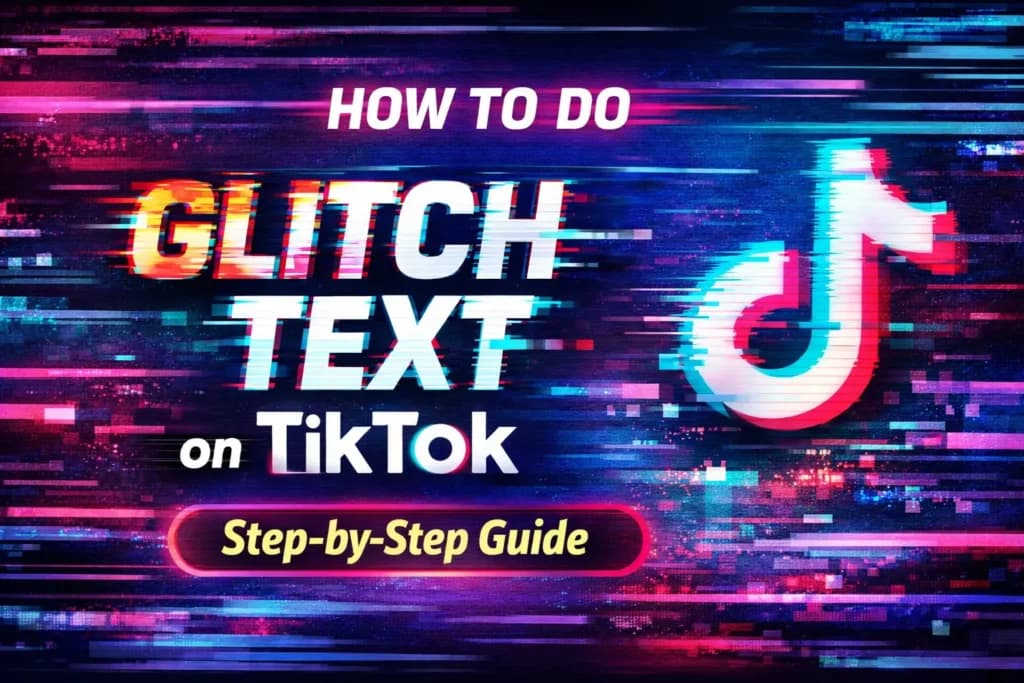
How to Do Glitch Text on TikTok (Step-by-Step Guide)
Learn how glitch text works on TikTok — Unicode combining marks, copy-paste generators, mobile apps, and which intensity levels actually display correctly without breaking readability.
Updated June 22, 2026
Most people discover glitch text on TikTok when they see a caption that looks broken, distorted, or 'hacked.' It grabs attention immediately, which is exactly why creators use it.
But when you try to do it yourself, TikTok doesn't have any built-in option — and that's where most people get stuck.
I've tested this across captions, bios, and comments. The truth is: glitch text is very simple once you understand how it works. But not every glitch style displays correctly on TikTok, and some can actually hurt readability.
Quick Takeaways
- Fastest way: Use a glitch text generator and copy-paste
- Best method: Use light glitch (1-3 combining marks per letter) for readability
- Biggest mistake: Overusing glitch text or using heavy Zalgo styles that clip on mobile
How Glitch Text Actually Works
Glitch text — also called Zalgo text — works by exploiting Unicode combining diacritical marks. These are special code points (U+0300–U+036F) that attach to the letter before them instead of occupying their own space. Languages like French use single combining marks for accents (é = e + U+0301). Glitch generators apply dozens of them to each letter.
Unicode technically allows unlimited combining marks per character. Stacking 10, 20, or even 50 marks on a single letter causes them to overflow the normal text bounds, creating the visual glitch effect. The text is still valid Unicode — the 'broken' look is a deliberate abuse of how rendering engines handle combining marks.
Different glitch generators also use Mathematical Alphanumeric Symbols (U+1D400–U+1D7FF) to swap standard letters with stylized variants. But on TikTok, heavy combining mark stacking is the main technique for the glitch aesthetic.
Fastest Way: Copy-Paste Glitch Text
This is the easiest method and works for almost everyone.
- Search "glitch text generator" or use a dedicated tool
- Type your text (example: follow me)
- Select a light or medium glitch intensity
- Copy the glitched version
- Paste into TikTok (caption, bio, or comment)
Method 1: Use Glitch Text Generators
Glitch text generators automatically create glitch text by applying random Unicode combining characters around each letter. Most generators offer an intensity slider that controls how many marks are added per character.
Light intensity (1-3 marks per letter) keeps text readable and renders reliably across TikTok's mobile interface. Medium intensity (4-10 marks) works for short phrases but may clip in the bio field. Heavy intensity (10+ marks) often overflows TikTok's condensed UI and can make text look like a broken mistake rather than an intentional effect.
Pro Tip
Always preview on a real device before posting. TikTok's desktop rendering can differ from mobile.
Method 2: Use Apps
Mobile apps give you more control over styling, especially when you want to add glitch effects directly to video text rather than captions.
- Add glitch effects to video text overlays
- Design visually instead of relying on copy-paste Unicode
Best for
- •Video text overlays
- •Aesthetic edits with visual control
Downside
Takes more time than generators. The result is an image or video overlay, not live text, so it won't work in bios or comment sections.
Method 3: Manual Method
Glitch text uses special Unicode combining characters layered around each letter. Normal text stays clean. Glitch text has marks added that make text appear distorted.
Manual glitching involves inserting combining characters one by one. This method is slow and rarely practical for everyday TikTok use, but it gives you precise control over which letters get glitched and how heavily.
Best Methods to Create Glitch Text
| Method | Difficulty | Speed | Best For | Limitations |
|---|---|---|---|---|
| Copy-Paste Generator | Easy | Very Fast | Beginners, captions, bios | Limited control over exact style |
| Mobile Apps | Medium | Moderate | Video overlays, visual edits | Output is an image, not live text |
| Manual Method | Hard | Slow | Advanced users, precise control | Time-consuming, impractical at scale |
How to Add Glitch Text in TikTok
Captions
Paste glitch text into the caption field before posting your video.
Bio
Edit profile → paste glitch text into the bio or name field.
Comments
Paste glitch text like normal text in the comment field.
Note: Always test on a mobile device before publishing. What looks correct in a generator preview may render differently inside TikTok's app.
Best Practices
Keep it readable
Glitch text loses impact if viewers can't understand it. Light glitch (1-3 marks per letter) keeps the word legible while still looking distorted.
Use it for hooks
One glitch phrase at the start of your caption grabs attention in the first second. The rest of the caption should be plain text.
Don't overuse it
One glitch phrase per caption or bio line is usually enough. Overusing glitch text makes your profile harder to scan and can look spammy.
Watch your character count
Each combining mark counts as a character. 'Hello' (5 letters) with 10 marks each becomes 55 characters. TikTok's bio limit is 150 characters total.
Does Glitch Text Improve Engagement?
Helps when
- Used in short captions that are easy to scan
- Used for attention-grabbing hooks at the start
- Applied to a single brand phrase or username
Hurts when
- Text becomes unreadable and viewers scroll past
- Overused in every caption or bio line — it loses novelty fast
- Heavy glitch makes your profile look broken rather than intentional
Think of glitch text as a highlight tool, not your main style. A single glitched word or phrase can boost attention, but a fully glitched caption rarely performs better than a readable one.
Common Problems (And Fixes)
Glitch text shows as empty boxes or question marks
Fix: This is called 'tofu' — the font on the viewer's device doesn't support those specific Unicode characters. Switch to lighter glitch styles or more common Unicode blocks.
Glitch text looks cut off or clipped
Fix: TikTok's UI clips text that overflows its container. Reduce glitch intensity, use fewer combining marks, or shorten your text.
Text looks unreadable
Fix: Reduce glitch intensity. Light glitch (1-3 marks per character) still looks distorted but stays readable. If viewers have to decode the text, it's too heavy.
Glitch text doesn't work in username
Fix: TikTok usernames have stricter character restrictions. Use glitch text in the display name or bio instead.
Accessibility: Glitch Text and Screen Readers
Glitch text can cause serious problems for users who rely on screen readers. Screen readers like VoiceOver and NVDA read each Unicode combining mark by its formal name — for example, 'COMBINING LONG STROKE OVERLAY' for every single mark. A single glitched word with 10 combining marks per letter can take over a minute to read aloud.
Heavily stacked Zalgo text has also been known to cause crashes or severe lag in some screen reader software. This is a genuine accessibility concern.
The safest approach: use glitch text only in visual-first contexts where the aesthetic is the point. If your caption contains critical information (calls to action, links, dates), keep that part in plain text. Never use glitch text in alt text or image descriptions.
Conclusion
Glitch text is an easy way to make your TikTok content stand out. The copy-paste generator method works best for most people: pick a light or medium intensity, paste into TikTok, and test on mobile before publishing.
The key to effective glitch text is restraint. Use one glitch phrase per caption or bio. Keep intensity low enough that the text stays readable. Watch your character count — combining marks add up fast.
Used intentionally, glitch text is a powerful attention tool. Used carelessly, it makes your content harder to read and less accessible.
FAQ
What is glitch text and how does it work on TikTok?
Glitch text (also called Zalgo text) works by stacking Unicode combining diacritical marks onto each letter. These marks are normally used for accents in languages like French, but when dozens are applied to a single character, they overflow the normal text bounds and create a distorted visual effect. TikTok displays these characters as standard text — it doesn't require any special app or permission.
Does glitch text count toward TikTok's character limit?
Yes, each combining mark counts as a separate character. A 5-letter word with 10 combining marks per letter takes up 55 characters in TikTok's text counter — that's where compact text styles can help. Be aware of this when glitching text for bios (150 character limit) or captions.
What intensity level works best on TikTok?
Light to medium glitch (1-10 combining marks per letter) works best on TikTok. Heavy glitch (15+ marks) often clips in TikTok's condensed mobile interface and can render as broken rather than intentional. Light glitch is safer and stays readable.
Can everyone see glitch text on TikTok?
Modern phones and browsers display Unicode glitch text correctly. However, very heavy Zalgo styles may not render properly on all devices, and some font systems lack the glyphs for rare Unicode characters — resulting in empty boxes or 'tofu.' Lighter styles using common Unicode characters have the widest compatibility.
Can I use glitch text in my TikTok username?
TikTok usernames follow stricter character restrictions and usually don't accept Unicode combining marks. Glitch text works reliably in display names, bios, captions, and comments instead.
Does glitch text affect screen readers or accessibility?
Yes, significantly. Screen readers read each combining mark by its Unicode name, which makes glitch text extremely difficult to understand audibly. Heavily stacked marks can even cause crashes in some screen reader software. Avoid glitch text in content that conveys essential information, and never use it in alt text or image descriptions.
What's the difference between glitch text and Zalgo text?
They refer to the same technique. 'Zalgo text' is the original name from an internet creepypasta meme from around 2004–2006. 'Glitch text' is the broader modern term. Both work by stacking Unicode combining marks on base characters to create a visually distorted effect.
How do I remove glitch formatting if I change my mind?
Since glitch text uses actual Unicode characters rather than a font style, you can't simply click 'remove formatting.' You need to either use an online text normalizer tool (which strips combining marks) or retype the text manually. For a fresh start, our fancy text generator offers clean Unicode styles without the glitch effect.
Related Tools
Fancy Text Generator
Generate a wide range of Unicode text styles including glitch, bold, script, and decorative fonts.
Cool Font Generator
Browse readable and stylish Unicode fonts for TikTok bios, captions, and profile text.
Small Text Generator
Create compact text styles that use fewer characters — helpful when TikTok's character limits are tight.
Instagram Font Generator
Preview clean Unicode styles for social media bios, names, and captions.