Blog Post
150+ Aesthetic Roblox Bio Ideas with Unicode Font Styles (Copy & Paste)
Browse 150+ aesthetic Roblox bio ideas organized by style — cute, emo, baddie, Y2K, anime, funny, and more. Every bio uses Unicode fancy fonts and is ready to copy and paste into your Roblox profile.
Updated June 22, 2026
Your Roblox bio is the first thing people see when they visit your profile. It tells them who you are, what games you play, and whether you're open to roleplay, trading, or just hanging out.
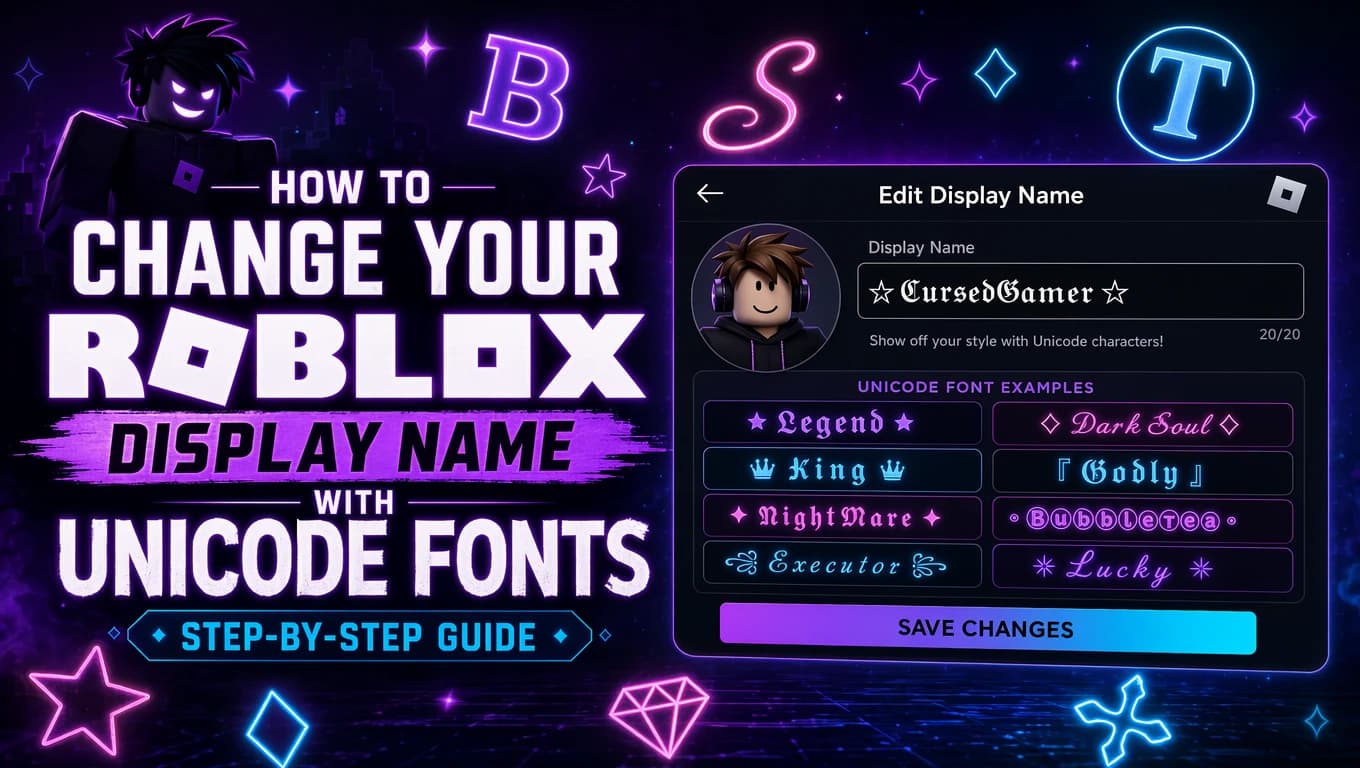
A great bio combines personality with style. That's where Unicode fancy fonts come in. With a Roblox font generator, you can transform plain text into bold (𝐁𝐨𝐥𝐝), script (𝓢𝓬𝓻𝓲𝓹𝓽), bubble (Ⓑⓤⓑⓑⓛⓔ), and dozens of other styles that make your bio stand out instantly.
We've collected 150+ bio ideas organized by style category — aesthetic, cute, emo, baddie, Y2K, anime, funny, preppy, and more. Each template uses Unicode decorative text and decorative symbols. Just replace the placeholders with your name and details, and paste it into your Roblox profile. No Robux, no downloads, no hassle.
Quick Takeaways
- Widest compatibility: Bold (𝐁𝐨𝐥𝐝), Script (𝓢𝓬𝓻𝓲𝓹𝓽), and Bubble (Ⓑⓤⓑⓑⓛⓔ) Unicode styles render correctly on all modern Roblox clients
- Character limit: Roblox bios support up to 1,000 characters — enough for around 6–8 styled lines with emojis and borders
- Biggest mistake: Overloading your bio with heavy Zalgo or glitch styles makes it unreadable and can get filtered by Roblox moderation
- Pro tip: Match your bio style to your avatar — pastel outfits call for cute bios, dark outfits work with emo/grunge, and expensive items need baddie energy
How Unicode Fonts Work in Roblox Bios
Roblox bios support standard Unicode characters, including Mathematical Alphanumeric Symbols (U+1D400–U+1D7FF), Enclosed Alphanumerics (U+2460–U+24FF), and decorative symbol blocks. These are not actual fonts — they're different character code points that visually resemble bold, italic, script, or decorative text.
When you paste Unicode fancy text into your Roblox bio, the game client renders it using whatever glyphs are available in its font stack. On modern Roblox clients (app version 2.580+), most Unicode letter variants display correctly. Players on older clients may see empty boxes for less common blocks.
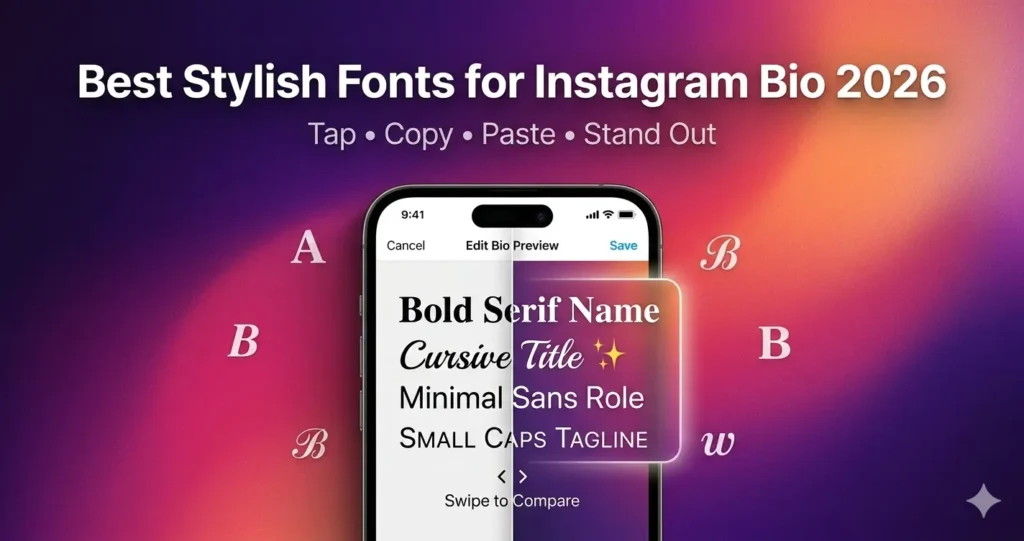
The key advantage: you can mix and match Unicode styles within the same bio. Use bold for your name, small caps for your tags, and decorative symbols for borders. This creates visual hierarchy that makes your bio look polished and intentional.
150+ Roblox Bio Ideas by Style
Every bio template below uses Unicode fancy text and decorative symbols. Replace [name] with your character name, [age] with your RP age, and adjust pronouns to match your preference. All templates are tested to work within Roblox's 1,000-character bio limit.
Aesthetic
Clean, minimal, and visually balanced. Aesthetic bios use consistent formatting with matching borders and carefully chosen emojis. Less is more.
Tips
Aesthetic bios look best with consistent symbol placement. Use the same border symbol at the top and bottom, and start every line with the same separator. Avoid mixing too many emoji styles — stick to 2–3 symbols max.
Cute
Sweet, bubbly, and approachable. Cute bios are the most popular style on Roblox. They work with almost every avatar and game type.
Tips
Cute bios pair best with pastel emojis: 🌸, 💗, 🎀, ☁️, 🐰, 🧁. Keep the tone friendly and approachable. Adding a playful boundary line like 'be nice or get blocked' gives your bio personality without losing the cute vibe.
Emo & Grunge
Dark, moody, and edgy. Emo and grunge bios are perfect for dark-themed avatars and players who want a more intense profile vibe.
Tips
Emojis like ⛓️, 🖤, 💀, 🥀, and 🕷️ signal the emo aesthetic instantly. Keep bios moody but not over-the-top — two or three dark lines mixed with something relatable creates the best balance. These bios work especially well in Da Hood and MM2.
Baddie & Savage
Confident, bold, and unapologetic. Baddie bios radiate main character energy. Best paired with avatars wearing expensive limited items and rare accessories.
Tips
The key to a good baddie bio is confidence without cringe. Use witty, clever lines that show attitude. Avoid bios that are purely mean — the best baddie bios make people laugh and respect you at the same time. Emojis like 👑, 💅, 🔥, 💎, and 💰 reinforce the flex aesthetic.
Y2K
Early 2000s nostalgia with flip phone vibes, glitter, and retro internet culture. Y2K bios feel playful and throwback.
Tips
Y2K bios shine with retro tech references: 📱, 💿, 📟, 📼. Star emojis (★, ✩, ✰) complete the look. Throw in a 'totally fetch', 'brb', or 'xoxo' for authentic 2000s energy. These bios pair perfectly with neon-patterned or cyberspace avatars.
Anime
Anime-inspired bios for fans of Japanese animation and manga. Use Japanese brackets, anime references, and clean minimal formatting.
Tips
Japanese brackets like 「」, 〔〕, 〈〉, and ゛ immediately signal the anime aesthetic. Reference recognizable anime (Naruto, Demon Slayer, Sailor Moon, Jujutsu Kaisen) for instant connection with other fans. Keep the formatting clean — too many references can clutter the bio.
Funny & Relatable
Self-deprecating humor, gaming jokes, and relatable memes. Funny bios are memorable and make people want to interact.
Tips
Self-deprecating humor lands well on Roblox profiles. Keep jokes accessible — avoid inside humor that only a few people will get. Short punchy lines work better than long setups. Funny bios break the ice instantly and make you approachable in any game.
Preppy
Upbeat, positive, and full of energy. Preppy bios exploded in popularity thanks to TikTok and Roblox content creators. Best paired with designer-item avatars.
Tips
Preppy bios use lots of exclamation marks and positive energy. Words like 'slay', 'bestie', and 'queen' are staples. The emoji palette leans bright and happy: 🌺, 🛍️, 🌈, 💅, 🎀. These bios work perfectly for Bloxburg and Berry Avenue social RP.
Cool & Short
Minimal, clean, and effortlessly cool. Short bios say a lot with very few words. Trending hard in 2026.
Tips
Short bios work best with a single strong line. If you go ultra-minimal, make sure the line has impact. Use one or two symbols max. This style works for players who want their gameplay to speak louder than their bio.
Game-Specific Roleplay
Bios tailored to specific Roblox games. Including your main game tells other players exactly what you're about and helps you find the right RP groups.
Tips
Game-specific bios perform better in their target games because other players immediately know your interests. Include your RP role and what you're looking for. Update the bio when you switch main games — a stale game reference makes your profile look inactive.
Soft Girl
Gentle, warm, and tender. Soft girl bios emphasize kindness, comfort, and cozy vibes. They work beautifully with pastel and cottagecore avatars.
Tips
Soft girl bios use gentle, tender language. Emojis like 🧸, ☁️, 🎀, 🌸, and 💗 reinforce the warm aesthetic. Avoid aggressive or confrontational language. The key phrase is 'kindness is my superpower.' These bios pair with flowy, pastel, or fairy-like avatars.
Dark Aesthetic
Dark romance, moody elegance, and mysterious vibes. Dark aesthetic bios sit between emo and aesthetic — darker than soft but more polished than grunge.
Tips
Dark aesthetic bios use symmetrical formatting with clean borders (═══, ───, ◈). They avoid the chaotic energy of emo bios in favor of polished, deliberate darkness. Emojis should be muted: 🥀, 🕯️, 🌑, 🖤. Avoid mixing bright colors or playful symbols.
Coquette & Cottagecore
Romantic, feminine, and whimsical. Coquette and cottagecore bios embrace vintage charm, ribbons, lace, and pastoral romance.
Tips
Coquette bios lean hyper-feminine with bows, frills, and vintage references. Cottagecore bios embrace nature and simplicity. Use soft, muted emojis: 🕊️, 🌻, 🍄, 🫖, 🎀. Avoid modern tech references — the aesthetic is about escaping to a simpler, more romantic time.
How to Add Unicode Fancy Text to Your Roblox Bio
Adding a Unicode-styled bio to your Roblox profile takes less than a minute. Here's exactly how to do it:
Step 1: Pick a bio template
Scroll through the categories above and find a bio that matches your style. Click the copy button next to the template or select the text and press Ctrl+C (Cmd+C on Mac).
Note: Replace [name] with your character name and [age] with your RP age before copying, or edit after pasting into your bio.
Step 2: Open your Roblox profile
Log in to Roblox.com (or open the mobile app). Click your avatar icon in the navigation bar and select Profile from the dropdown. On mobile, tap the three dots and tap Profile.
Step 3: Edit the bio section
Click the pencil icon or Edit button next to the About Me section on your profile page. This opens a text editor where you can paste your bio.
Step 4: Paste and save
Click inside the About Me text box and press Ctrl+V (Cmd+V on Mac) to paste your styled bio. Click Save and your new bio will be visible on your profile immediately.
Note: Roblox bios support up to 1,000 characters. Each Unicode character and symbol counts toward this limit. Most of our templates are 200–400 characters, leaving room for personal edits.
Step 5: Verify your bio
Visit your profile page to verify your bio renders correctly. For extra certainty, view your profile from a different device or ask a friend to check. If any characters show as empty boxes, switch to a simpler Unicode style.
Tips for the Perfect Roblox Bio
Match your bio to your avatar
This is the golden rule. If your avatar wears pink and pastels, choose a cute or coquette bio. If you wear all black, go emo or dark aesthetic. If you're flexing expensive limited items, a baddie bio reinforces the energy. Your bio and avatar should tell the same story.
Keep it under 1,000 characters
Roblox has a 1,000-character limit on bios. Use that space wisely. Aim for 5–8 lines maximum. A bio that's too long will get cut off on the profile preview. Short bios that hit hard are always better than long rambling ones.
Use emojis strategically
Place one emoji at the start of each line for a clean, organized look. Pick 2–3 emojis that match your style and repeat them consistently. Don't mix random emojis together — it looks messy and unplanned.
Add a border or decoration
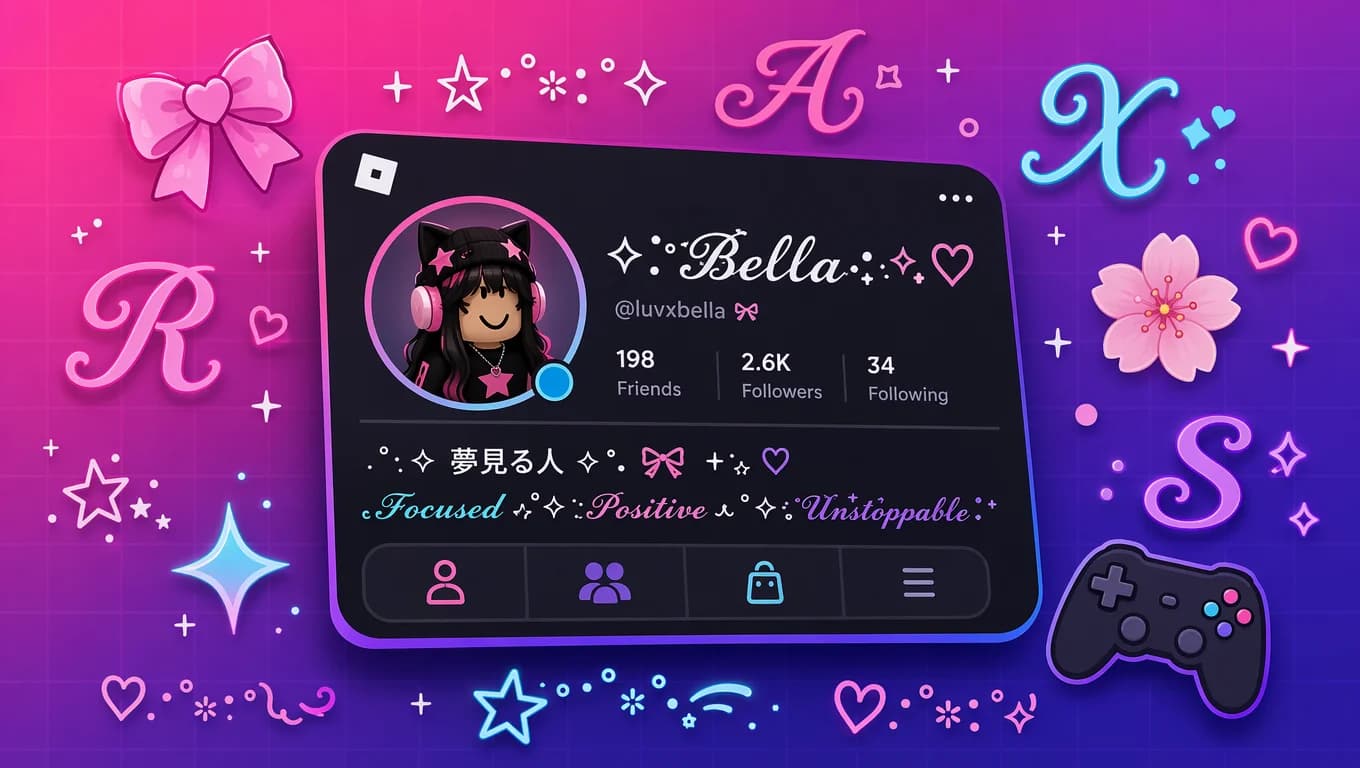
Borders like ✧˚ · text ·˚✧ or ─── text ─── make your bio look polished and intentional. They frame your content and separate it from the blank space on the profile page. Symmetry is key — match your opening and closing borders.
Include your basics
At minimum, include your RP name, character age, and pronouns. These are the basics that other RP players look for when deciding whether to interact. For game-specific bios, add your role and what you're looking for.
Use Unicode fonts for hierarchy
Use a bold or script Unicode style for your name (the headline), regular weight for details, and small decorative lines for separation. This creates visual hierarchy that makes your bio easy to scan.
Update it regularly
Don't set your bio once and forget it. Change it when you switch main games, get new avatar items, or just want a fresh vibe. A regularly updated bio signals you're an active player.
Common Problems (And Fixes)
Unicode characters show as empty boxes or question marks
Fix: This is called 'tofu' — the Roblox client on that device lacks the glyphs for those specific Unicode characters. Stick to common Unicode blocks: Bold (𝐁𝐨𝐥𝐝), Script (𝓢𝓬𝓻𝓲𝓹𝓽), and Bubble (Ⓑⓤⓑⓑⓛⓔ) have the widest support across all Roblox clients.
Bio text looks cut off or clipped
Fix: Your bio is likely exceeding the 1,000-character limit or contains characters that overflow their rendering bounds. Shorten the bio or remove heavy Unicode combining marks. Use our small text generator for more compact styles.
Bio was rejected by Roblox moderation
Fix: Roblox's content filter may reject certain Unicode characters or symbol combinations. Try a different Unicode style and avoid symbols that could be interpreted as violating community guidelines. Bold and italic styles have the highest acceptance rate.
Symbols in my bio don't display correctly on mobile
Fix: Some Unicode symbols and decorative characters render differently on Roblox mobile vs desktop. Test your bio on both platforms before finalizing. Stick to commonly-used Unicode blocks for cross-platform compatibility.
The bio looks messy instead of aesthetic
Fix: Too many different Unicode styles in one bio creates visual chaos. Limit yourself to 2 Unicode styles max (e.g., bold for your name + small caps for details). Use consistent line starters and matching borders for a clean look.
Conclusion
Your Roblox bio is one of the first things other players notice about you. With 150+ bio ideas across 13 style categories and Unicode fancy fonts, you have everything you need to create a profile that stands out.
The best Roblox bios share three qualities: they match the avatar's aesthetic, they're easy to read, and they tell people what kind of player you are. Whether you go cute 🌸, edgy 🖤, baddie 👑, or funny 🤡, the key is intentionality — every line should serve a purpose.
To create your perfect bio, pick a template from the categories above, replace the placeholders, and paste it into your Roblox profile. For even more customization, use our Roblox font generator to create custom Unicode text in 80+ styles, perfectly sized for your 1,000-character bio limit.
FAQ
What are Unicode fonts and how do they work in Roblox bios?
Unicode fonts are special character code points that look like bold, script, bubble, or decorative text. They work in Roblox bios because Roblox supports Unicode character rendering. When you paste these characters into your bio, the game client renders them using glyphs from its font stack. No font installation or Robux is needed — just copy and paste.
How many characters can I put in my Roblox bio?
Roblox bios have a 1,000-character limit. This includes all characters — letters, numbers, emojis, symbols, spaces, and Unicode fancy text variants. Our templates typically use 200–400 characters, leaving plenty of room for personal additions.
Can I use bold, italic, or script fonts in my Roblox bio?
Yes. Unicode Mathematical Alphanumeric Symbols include bold (𝐁𝐨𝐥𝐝), italic (𝐼𝑡𝑎𝑙𝑖𝑐), bold italic (𝙱𝚘𝚕𝚍 𝙸𝚝𝚊𝚕𝚒𝚌), script (𝓢𝓬𝓻𝓲𝓹𝓽), and double-struck (𝔻𝕠𝕦𝕓𝕝𝕖) variants. Use our Roblox font generator to convert your text into any of these styles instantly.
What's the best Unicode style for Roblox bios?
Bold (𝐁𝐨𝐥𝐝) and Script (𝓢𝓬𝓻𝓲𝓹𝓽) are the most popular choices because they're readable and compatible with all modern Roblox clients. Bubble (Ⓑⓤⓑⓑⓛⓔ) and Double-struck (𝔻𝕠𝕦𝕓𝕝𝕖) are great for decorative headlines. Avoid heavy Zalgo or glitch styles that use excessive combining marks.
Can I mix different Unicode styles in one bio?
Yes, you can mix styles within the same bio. Many templates use bold for the name, standard weight for details, and decorative symbols for borders. The key is to limit yourself to 2-3 styles max — too many different styles in one bio creates a cluttered, messy look.
Will my Unicode bio show up on all devices?
Modern Roblox clients (app version 2.580+) render Unicode characters correctly. Players on older clients may see empty boxes for uncommon Unicode blocks. For the widest compatibility, use characters from the Mathematical Alphanumeric Symbols block (U+1D400–U+1D7FF) which are supported by most modern fonts.
Why do some characters in my bio show as empty boxes?
Empty boxes ('tofu') appear when the device's font lacks the glyph for a specific Unicode character. This is most common with rare or decorative Unicode blocks. Fix this by switching to more common Unicode styles like Bold, Script, or Bubble, which are included in most font stacks.
Can I use Unicode symbols like stars and hearts in my bio?
Yes. Roblox bios support thousands of Unicode symbols including stars (★ ☆ ✦), hearts (♥ ❤ 💗), arrows (→ ➜), and decorative dividers (─── ✧ ───). These can be copy-pasted alongside Unicode fancy text for custom border designs.
How often should I update my Roblox bio?
Update your bio whenever you switch main games, change your avatar style, or want a fresh look. A regularly updated bio signals you're an active player. Quarterly updates are a good minimum, but many players change theirs monthly or whenever a new game catches their interest.
Do these bios work for Roblox groups too?
Yes. The same Unicode fancy text and decorative symbols work in Roblox group descriptions (1,000 character limit) and group names (50 character limit). You can use the same templates for your group's bio by adjusting the content to represent the group's personality rather than an individual player.
Related Tools
Roblox Font Generator
Generate Unicode fancy text for Roblox bios, display names, and group descriptions. 80+ styles including bold, script, bubble, gothic, and more.
Fancy Text Generator
Browse 80+ Unicode text styles for social media, gaming profiles, and creative text. Copy-paste ready with live preview.
Cool Font Generator
Discover unique and stylish Unicode fonts with real-time preview. Perfect for customizing your Roblox profile and standing out from the crowd.
Small Text Generator
Create compact Unicode text styles using small caps and subscript variants. Great for maximizing space within Roblox's bio character limit.