Blog Post
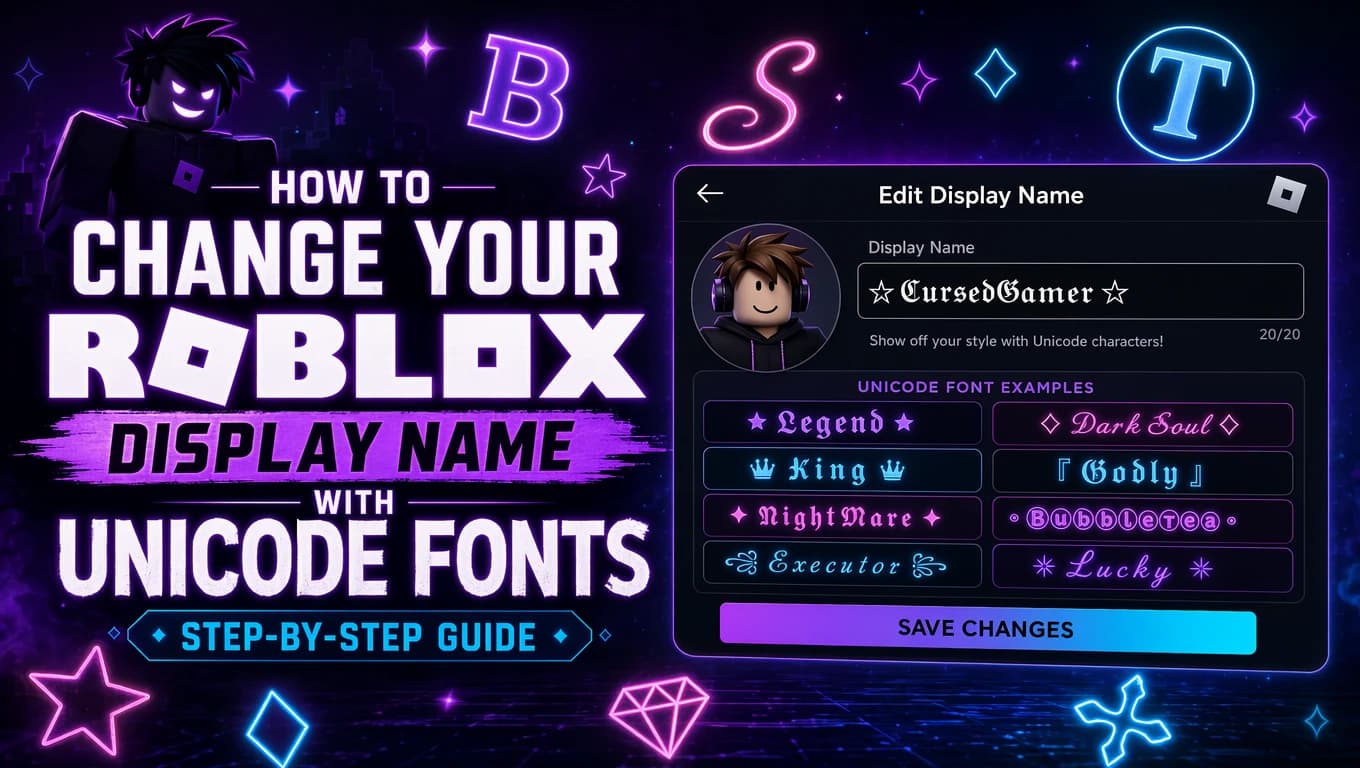
How to Change Your Roblox Display Name with Unicode Fonts (Step-by-Step Guide)
Learn how to change your Roblox display name using Unicode fancy fonts. Step-by-step guide covering copy-paste generators, supported styles, field compatibility, and troubleshooting tips for 2026.
Updated June 22, 2026
Your Roblox display name is the name other players see above your character in-game, in chat bubbles, and on your profile. Unlike your username (which is permanent and limited to basic letters and numbers), your display name can be changed every 7 days — and it supports Unicode fancy text styles.
That means you can use names like 𝓖𝓪𝓶𝓮𝓻𝓖𝓲𝓻𝓵, 𝐁𝐥𝐚𝐳𝐞𝐊𝐢𝐧𝐠, or ⓇⓄⒷⓄⓍⓊⓈⒺⓇ instead of plain text. No Robux required, no special permissions — just copy and paste.
In this guide, I'll walk you through exactly how to change your Roblox display name using Unicode fonts, which styles work best, where they display correctly, and how to fix common problems like blocked characters or invisible text.
Quick Takeaways
- Fastest way: Use a Roblox font generator to convert your text, then copy-paste into Settings
- Best styles: Bold (𝐁𝐨𝐥𝐝), Script (𝓢𝓬𝓻𝓲𝓹𝓽), and Bubble (Ⓑⓤⓑⓑⓛⓔ) styles have the highest acceptance rate
- Biggest mistake: Trying to use Unicode fonts in your username instead of display name — usernames only support ASCII
- Key limitation: Display names are limited to 20 characters. Unicode combining marks count toward this limit
How Unicode Fonts Work on Roblox
Roblox does not have a built-in font picker for display names. When you see a player with stylized text, they are not using a custom font file — they are using Unicode Mathematical Alphanumeric Symbols (U+1D400–U+1D7FF) and other Unicode blocks that contain pre-styled letter variants.
These Unicode blocks include bold, italic, script (handwriting-style), fraktur (gothic), double-struck (blackboard bold), monospace, and fullwidth variants of the standard Latin alphabet. Because they are standard characters — not font styling — they can be pasted into any text field that accepts Unicode input.
Roblox's display name field is one of those fields. When you paste a Unicode bold character like 𝗔 (U+1D5D4) instead of a regular 'A', Roblox renders it using whatever glyph is available in its font stack. Most modern Roblox clients (app version 2.580+) include these glyphs, so the styled characters display correctly.
The key insight: you are not changing the font. You are changing the characters themselves to visually different Unicode code points that happen to look like bold, script, or decorative text.
Step-by-Step: Change Your Roblox Display Name with Unicode Fonts
Step 1: Open your Roblox account settings
Log into Roblox.com (or open the mobile app), click the gear icon in the top-right corner, and select <strong>Settings</strong> from the dropdown menu. On mobile, tap the three-dot menu then tap Settings.
Step 2: Navigate to Account Info
In the Settings menu, click on the <strong>Account Info</strong> tab on the left sidebar (web) or scroll down to find Account Info (mobile).
Step 3: Find your display name field
You will see two name fields. The first is your <strong>Username</strong> — this cannot be changed to Unicode. The second is your <strong>Display Name</strong>, which has a pencil icon next to it. Click that pencil icon.
Step 4: Generate your Unicode fancy text
Open a <a href='/roblox-font-generator'>Roblox font generator</a> in a new tab. Type the name you want to use (keep it under 20 characters), browse through the available styles, and click the copy button next to your chosen style.
Bold (𝐁𝐨𝐥𝐝), Script (𝓢𝓬𝓻𝓲𝓹𝓽), Double-struck (𝔻𝕠𝕦𝕓𝕝𝕖), and Bubble (Ⓑⓤⓑⓑⓛⓔ) styles work best on Roblox. Avoid extremely heavy Zalgo or glitch styles — they may be rejected by Roblox's content filter.
Step 5: Paste and save
Go back to Roblox, paste your copied fancy text into the Display Name field, and click <strong>Save</strong>. Your display name should update immediately.
Step 6: Verify in-game
Join any experience to verify your new display name renders correctly. If it shows empty boxes or question marks, try a different Unicode style — some older Roblox clients may not have the glyphs for every Unicode block.
Best Unicode Font Styles for Roblox Display Names
| Style | Example | Compatibility | Best For |
|---|---|---|---|
| Bold (Mathematical) | 𝐑𝐨𝐛𝐥𝐨𝐱𝐍𝐚𝐦𝐞 | Excellent | Clean, readable bold names |
| Bold Italic | 𝙍𝙤𝙗𝙡𝙤𝙭𝙉𝙖𝙢𝙚 | Excellent | Stylized but still readable |
| Script | 𝓡𝓸𝓫𝓵𝓸𝔁𝓝𝓪𝓶𝓮 | Good | Elegant, handwritten look |
| Double-struck | ℝ𝕠𝕓𝕝𝕠𝕩ℕ𝕒𝕞𝕖 | Good | Unique blackboard-bold aesthetic |
| Fullwidth | RobloxName | Good | Wide, spacious appearance |
| Bubble / Enclosed | ⓇⓞⓑⓛⓞⓧⓃⓐⓜⓔ | Moderate | Playful, casual look — may not render on older clients |
| Small Caps | ʀᴏʙʟᴏxɴᴀᴍᴇ | Moderate | Compact — some letters may not have small caps variants |
| Gothic / Fraktur | 𝕽𝖔𝖇𝖑𝖔𝖝𝕹𝖆𝖒𝖊 | Moderate | Dark, medieval aesthetic — check compatibility first |
Where Unicode Fonts Work in Roblox
| Field | Unicode Support | Char Limit | Notes |
|---|---|---|---|
| Display Name | Yes (partial) | 20 chars | Unicode allowed; bold math chars may show as ? on very old clients |
| Username (@handle) | No | 20 chars | ASCII only — letters, numbers, underscores |
| Game Title | Yes | 50 chars | Bold and script styles render in search results and game page |
| Game Description | Yes | 1,000 chars | Best place for styled text — renders on Discover page and detail page |
| Group Name | Yes | 50 chars | Unicode renders correctly on Roblox.com group pages |
| Group Description | Yes | 1,000 chars | Great for bold headings, symbols, and formatted lists |
| Chat Messages | No | ~280 chars | Safety filter strips mathematical Unicode — use plain text |
| Game Pass Description | Yes | ~500 chars | Renders correctly in the Game Pass section |
Tips for Choosing the Right Unicode Font Style
Test before saving
Roblox's character filter can change without notice. Paste your styled text into the display name field and click Save, then join a game to verify it renders correctly on all devices.
Prioritize readability
Overly decorative text (heavy gothic, extreme glitch, or stacked combining marks) can be hard to read, especially on mobile. Bold and Script styles offer the best balance of style and legibility.
Respect the 20-character limit
Display names are capped at 20 characters. Each character — including Unicode variants — counts as one character. Plan your name to fit within this limit.
Consider mobile players
Some Unicode characters render differently or not at all on mobile Roblox clients. Stick to bold, italic, and script styles for the widest cross-platform compatibility.
Avoid impersonation
Using Unicode characters to make your name resemble a Roblox staff member, admin, or well-known creator can result in account moderation action. Keep it creative, not misleading.
Combine with symbols
A display name like '★ 𝐍𝐢𝐠𝐡𝐭𝐂𝐥𝐚𝐰 ★' combines Unicode bold with decorative symbols. Roblox accepts many Unicode symbols (stars, hearts, arrows) in display names.
Common Problems (And Fixes)
Display name shows empty boxes or question marks
Fix: This is called 'tofu' — the client's font lacks glyphs for those Unicode characters. Switch to a more common style like Bold (𝐁𝐨𝐥𝐝) or Script (𝓢𝓬𝓻𝓲𝓹𝓽). These use widely-supported Unicode blocks.
Fancy text rejected by the save button
Fix: Roblox's content moderation may reject certain Unicode characters. Try a different style — bold and italic have the highest acceptance rate. Keep the name under 20 characters and avoid symbols that resemble profanity.
Display name won't change
Fix: You can only change your display name once every 7 days. If you recently changed it, you'll need to wait before changing again. Check your Account Info page — it shows when you can next edit.
Unicode text looks different in-game vs on the website
Fix: Roblox uses different font rendering on the website vs the app. The website uses your browser's font stack (usually Gotham), while the app uses its own renderer. The effect should be similar but may vary slightly in weight.
Characters count as more than one letter
Fix: Some Unicode combining marks (like those used in glitch text) stack onto the previous character. They count toward the 20-character limit. Use a generator that shows character count, and stick to pre-composed Unicode characters rather than combining marks.
Old Roblox client can't display the font
Fix: Roblox app versions below 2.580 may lack glyphs for Unicode Mathematical Alphanumeric blocks. Update Roblox to the latest version via the app store on your device.
Conclusion
Changing your Roblox display name with Unicode fonts is a simple way to personalize your profile without spending Robux. The process takes less than two minutes: generate your text with a Roblox font generator, copy it, paste it into your display name field, and save.
The best Unicode styles for Roblox are Bold (𝐁𝐨𝐥𝐝), Script (𝓢𝓬𝓻𝓲𝓹𝓽), and Bubble (Ⓑⓤⓑⓑⓛⓔ). These have the widest compatibility across Roblox clients and the highest acceptance rate through Roblox's content filter.
Remember the key limitations: display names have a 20-character cap, can only be changed every 7 days, and not all Unicode styles render on older clients. Test your chosen name in-game before settling on it, and avoid styles that make your text unreadable or misleading.
For more stylish text options, try our fancy text generator with 80+ Unicode styles, or check our cool font generator for alternative decorative styles that work on Roblox.
FAQ
Can I actually change my Roblox display name to Unicode fonts?
Yes. Roblox display names support Unicode characters, including fancy text styles like bold (𝐁𝐨𝐥𝐝), script (𝓢𝓬𝓻𝓲𝓹𝓽), bubble (Ⓑⓤⓑⓑⓛⓔ), and double-struck (𝔻𝕠𝕦𝕓𝕝𝕖). Simply generate the text with a Roblox font generator and paste it into the display name field in your account settings.
How often can I change my Roblox display name?
You can change your display name once every 7 days. There is no Robux cost — it is completely free. Your Account Info page shows the date when you can next edit your display name.
What's the difference between a Roblox username and display name?
Your username is your unique login identifier — it only supports letters, numbers, and underscores, costs Robux to change, and must be unique across all of Roblox. Your display name is the name shown to other players in-game — it supports Unicode fonts, can be changed every 7 days for free, and does not need to be unique.
What Unicode font styles work best on Roblox?
Bold (𝐁𝐨𝐥𝐝), Script (𝓢𝓬𝓻𝓲𝓹𝓽), and Bold Italic (𝘽𝙤𝙡𝙙 𝙄𝙩𝙖𝙡𝙞𝙘) have excellent compatibility. Bubble (Ⓑⓤⓑⓑⓛⓔ), Double-struck (𝔻𝕠𝕦𝕓𝕝𝕖), and Fullwidth (Fullwidth) are also good options. Heavy glitch or Zalgo styles with many combining marks may be rejected by Roblox's content filter.
Is changing my display name with Unicode fonts free?
Yes, changing your display name is completely free on Roblox. Unlike changing your username (which costs Robux), the display name feature is available to all users at no cost. You just need a free font generator to create the Unicode text.
Can everyone see my Unicode display name?
Modern Roblox clients (app version 2.580+) display Unicode characters correctly. Players on very old client versions may see empty boxes or question marks for less common Unicode blocks. Bold, script, and italic styles from the Mathematical Alphanumeric Symbols block have the widest support.
Can I use Unicode fonts in Roblox chat?
No. Roblox's chat safety filter strips or replaces mathematical Unicode characters in chat messages. Unicode fancy text works in display names, game descriptions, group names, and group descriptions, but chat is filtered server-side and will show plain text only.
What happens if my Unicode display name is rejected?
If Roblox's content moderation rejects your display name, try a different Unicode style. Bold and italic styles have the highest acceptance rate. Avoid characters that could be interpreted as violating Roblox's community guidelines, and ensure the name is not impersonating a Roblox staff member.
Does the 20-character limit include the Unicode formatting?
Yes. Every character in your display name counts toward the 20-character limit, including Unicode fancy text characters. A name like '𝐑𝐨𝐛𝐥𝐨𝐱𝐅𝐚𝐧' uses 10 characters. Plan your name accordingly — each styled character occupies exactly one character slot.
Can I use symbols like stars and hearts in my Roblox display name?
Yes, Roblox allows many Unicode symbols in display names, including stars (★ ☆ ✦), hearts (♥ ❤), arrows (→ ➜), and geometric shapes (◆ ◇). These can be combined with fancy text styles for creative effects. Test your specific symbol before committing to it, as some may be filtered.
Related Tools
Roblox Font Generator
Generate Unicode fancy text for Roblox display names, bios, and group descriptions. Bold, script, bubble, and 80+ other styles.
Fancy Text Generator
Browse 80+ Unicode text styles including gothic, monospace, double-struck, and decorative fonts for social platforms.
Cool Font Generator
Discover unique and stylish Unicode fonts for gaming profiles, social media bios, and creative text.